
A task list is a useful place to begin, but it is rarely the whole picture. A project also has dependencies, dates, reference material and decisions to revisit. Moving among separate tools can make the work feel more fragmented than it needs to be.
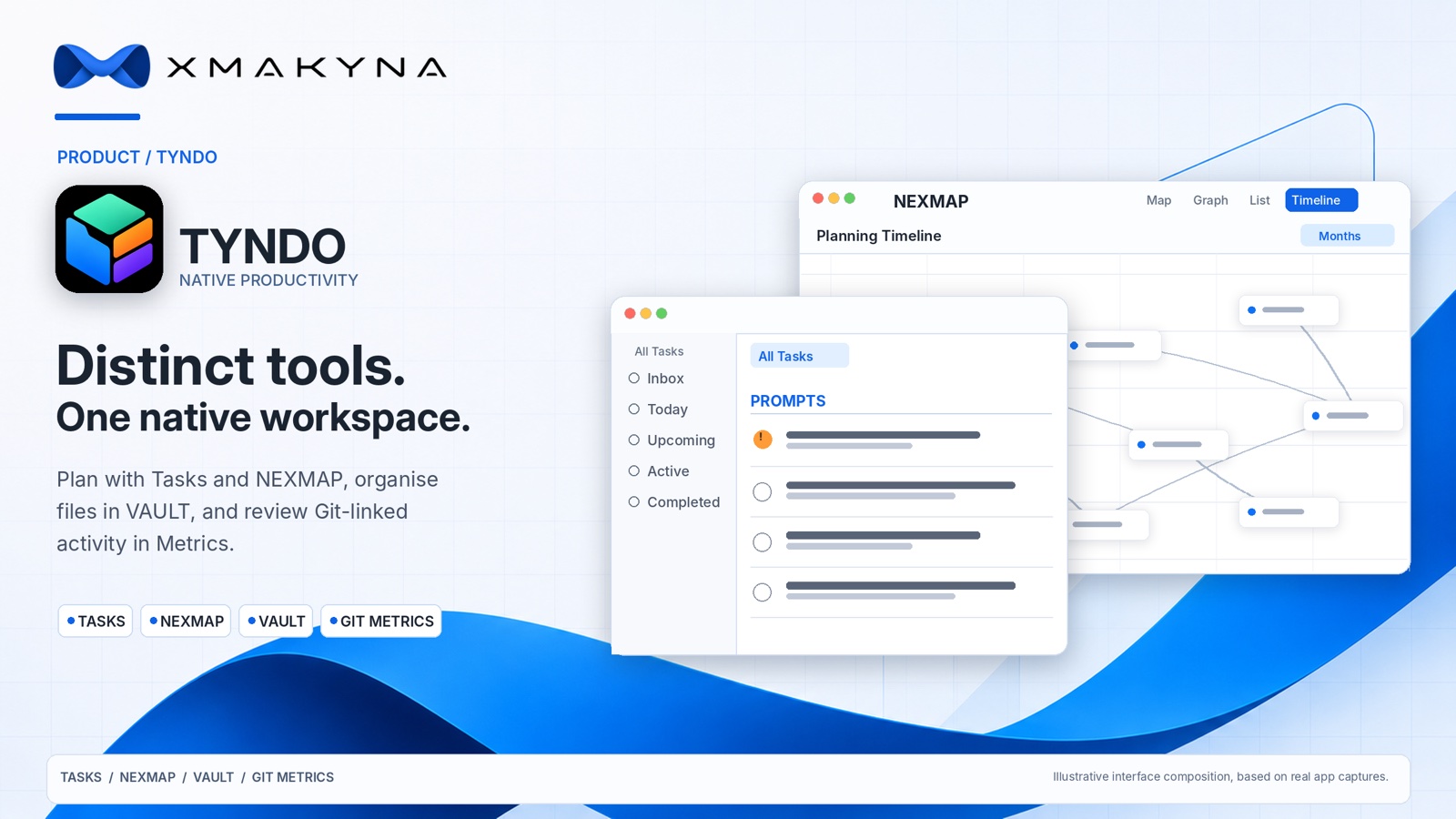
TYNDO is a new native XMAKYNA workspace in development for Mac, iPhone and iPad. It brings everyday task management together with visual planning, files and progress information. These are distinct, capable tools within one application: not just extra screens attached to a task list. You can begin with a reminder or work in depth on a visual plan, a file collection or a project report.
Tasks that can become projects
TYNDO begins with familiar actions: make a task, organise a list, add a note, set a due date and finish something. Tasks can have subtasks, priorities, tags, attachments and reminders. Dedicated sections such as Inbox, Today and Upcoming help organise everyday work, while the main Timeline provides a separate scheduling tool for dated tasks over days, weeks, months or a year.
A simple checklist should remain simple. When more structure is useful, the surrounding tools are there without asking you to leave the workspace.
NEXMAP: see the plan, not only the list
NEXMAP is TYNDO's visual planning area. It lets you arrange related items as a graph, connect steps and dependencies, and work with the plan as a list or a planning timeline. A map can make it easier to see what must happen before something else, or where several streams of work come together.
NEXMAP can also present existing TYNDO lists visually, connecting everyday tasks with the larger plan. Its Commands feature understands a defined set of short instructions for actions such as connecting nodes or arranging a map. It is a controlled planning tool, not a promise that a remote AI service is making decisions on your behalf.
VAULT: keep supporting files close
VAULT is the file workspace within TYNDO. It can browse app documents or folders you explicitly choose, search a folder, import files, preview supported documents and edit supported text files. It is useful when a task has a specification, notes, a diagram or another file that belongs with the work.
VAULT does not require blanket access to the Mac or device. External folder access is authorised by the user, and a restored or moved workspace may need that permission again. Files remain in their selected locations: they are not automatically uploaded simply because they can be opened in TYNDO.
Progress you can understand: including Git activity
TYNDO's Metrics tool provides reporting on task activity, completion, deadlines and cycle times. For development work on Mac, Git Metrics can also read activity from repositories that the user chooses to link. This gives a way to inspect project history alongside the work being planned, without treating a count of commits or changed lines as a measure of a person's worth or effort.
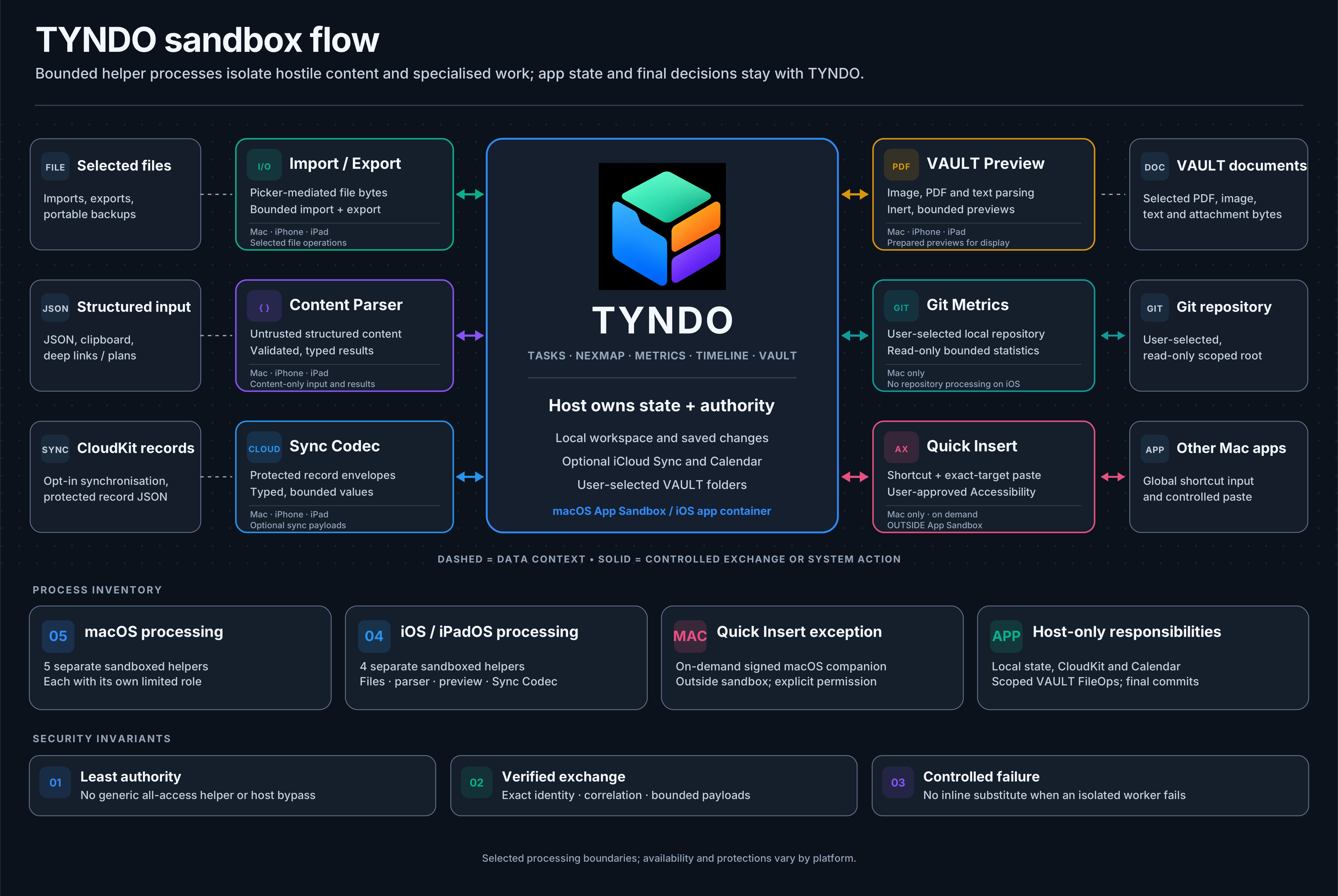
That Git analysis is deliberately read-only. It runs through a separate, restricted processing component rather than handing repository parsing to the main app. It does not execute Git command-line tools, edit a repository, or perform push, pull or other remote Git operations. Results are checked before being presented; incomplete or invalid results are not silently passed off as authoritative activity. Advanced Git statistics are part of the Mac-focused Premium feature design, with final commercial details to be confirmed at release.
Security is part of the architecture
TYNDO uses the operating system's application sandbox and separates several kinds of potentially untrusted work from its main interface. On supported platforms, dedicated helper processes handle areas such as file import, document and PDF previews, structured-content parsing and Git analysis. Rather than offering one component unrestricted access, each operation is intended to have a defined purpose, bounded input and a checked result.
The aim is to reduce unnecessary privileges and limit the effect of malformed or unexpected content. It is not a claim of perfect security, nor that every Apple device has identical helper mechanisms. TYNDO also includes a Security Features section that reports available operating-system protection information, with unavailable checks clearly distinguished from confirmed results.
Local-first, with deliberate choices
TYNDO stores its working data locally by default. Optional iCloud Sync is off until the user enables it and can share supported tasks, lists, NEXMAP information and attachments between devices. VAULT file contents, Git folder permissions and locally collected Git results are not included in that sync. TYNDO also supports full workspace backups, but those backups do not copy the files inside VAULT folders; those files need their own protection.
TYNDO is still in development. We will confirm availability, final packaging and purchasing details separately. For now, it represents the kind of software we want to build at XMAKYNA: practical enough for the daily list, capable enough for the wider project, and clear about the boundaries around your work.
Learn more: XMAKYNA Engineering